5 Ways to Clear Digital Clutter and Reclaim Your Focus
Aug 22, 2026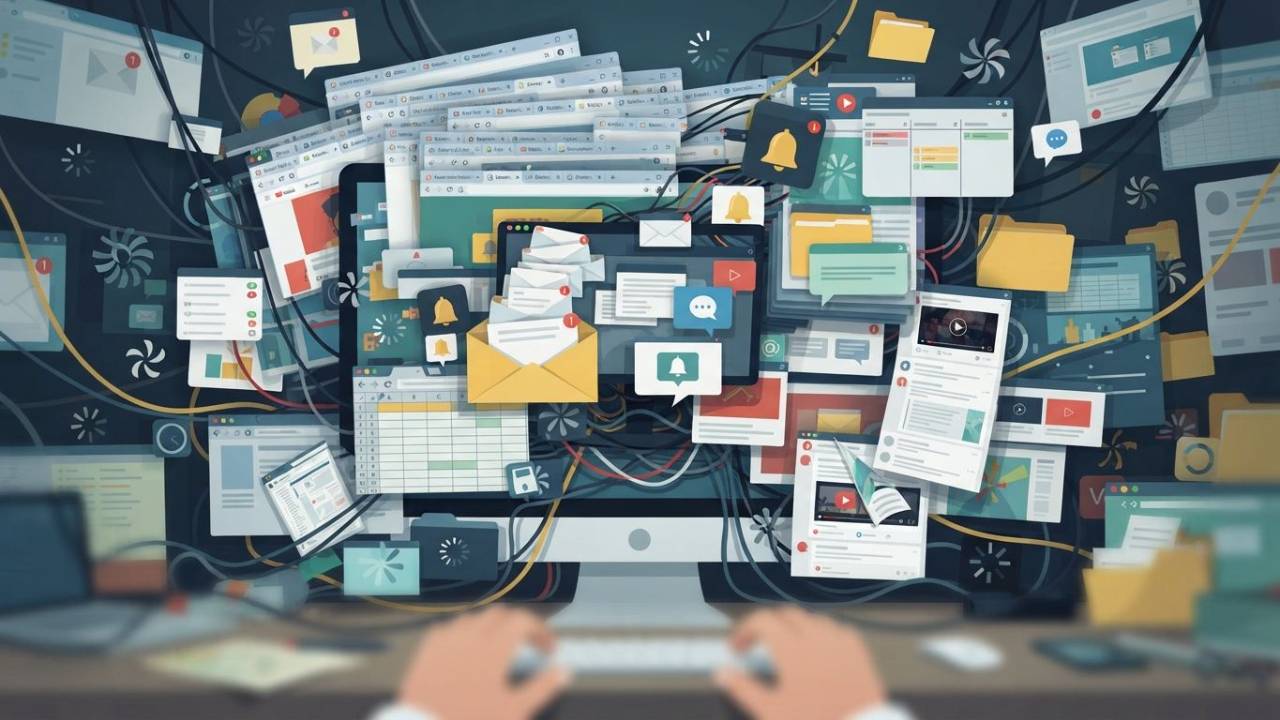
Digital clutter is the silent killer of productivity and peace of mind. When your inbox is overflowing, your desktop is a graveyard of rogue files, and notifications are constantly hijacking your attention, you spend more time managing chaos than doing actual work. This constant friction drains your cognitive energy, fuels anxiety, and keeps you stuck in reactive mode.
1. Eviscerate Your Email Avalanche
-
The Problem: Waking up to an endless wall of unread messages, leaving you trapped in perpetual triage.
-
The Hack: Implement a strict 3-folder triage system and scheduled checking blocks.
-
How to make it work:
-
Establish Fixed Windows: Close your email tab and check messages only 3 times a day (e.g., morning, noon, end of day) instead of keeping it open continuously.
-
The 3-Folder Rule: Process every email immediately into one of three digital folders: Action (must be done today), Archive (saved for reference), or Delegate/Deferred (passed off or parked).
-
The 2-Sentence Reply: For messages requiring a response, cap your replies at two sentences whenever possible to maintain momentum and discourage back-and-forth ping-pong.
-
2. Silence the Notification Ping-Pong
-
The Problem: Constantly jumping between chat apps, text messages, and software pings, destroying any chance of deep focus.
-
The Hack: Ruthlessly strip away non-essential alerts and batch your communication channels.
-
How to make it work:
-
Audit and Silence: Turn off push notifications for all apps except direct phone calls and absolute emergencies.
-
Batch Chat Checks: Treat team chat tools (like Slack or Teams) like email—check them at designated transition times rather than letting them interrupt your workflow.
-
Set Status Boundaries: Use "Focus Mode" or custom statuses when you are working on high-value tasks so your team knows you are offline and unavailable for immediate interruptions.
-
3. Tame Your Tangled Task List
-
The Problem: Keeping a rolling to-do list scattered across sticky notes, scrap paper, and multiple apps so that critical items slip through the cracks.
-
The Hack: Centralize your tasks into a single master capture point structured by daily priority.
-
How to make it work:
-
Single-Source Capture: Move all stray lists, mental notes, and scratchpads into one centralized digital or physical notebook.
-
The Rule of 3: Limit your actual working daily list to no more than 3 high-impact tasks. Anything else goes on a master "someday/maybe" parking lot.
-
The Evening Clear: Spend 5 minutes at the end of your workday reviewing what you completed and setting tomorrow's 3 priorities so you can unplug guilt-free.
-
4. Digitize and Destroy Your Data Piles
-
The Problem: Collecting student assignments, customer feedback, and project metrics in scattered formats without a centralized system to process them.
-
The Hack: Create a standardized intake template and archive old data immediately.
-
How to make it work:
-
Single Intake Point: Funnel all incoming metrics, feedback, or digital submissions through a single standardized form or folder rather than accepting them across multiple channels.
-
Weekly Processing Window: Set aside 15 minutes once a week to review, summarize, and file the accumulated data, preventing unread feedback from turning into a massive backlog.
-
Aggressive Purge: Delete or archive raw data older than 30 days once its actionable insights have been extracted and logged into your main summary tracker.
-
5. Escape the Doom-Scroll Trap
-
The Problem: Mindlessly bouncing between news sites, social feeds, and browser tabs when faced with difficult or unappealing tasks.
-
The Hack: Recognize the avoidance trigger and install friction barriers to block mindless wandering.
-
How to make it work:
-
Name the Trigger: Notice when you reach for a tab or phone—usually right before tackling a hard task—and acknowledge it as a stress response, not a break.
-
The 5-Minute Rule: Force yourself to work on the difficult task for just 5 minutes before allowing yourself to check any secondary site or feed.
-
Environmental Blockers: Use website blockers or browser tab limits to physically restrict access to your top time-wasting sites during deep-work hours.
-
Digital clutter doesn't disappear on its own—it compounds. Every unread email left in limbo, every rogue tab kept "just in case," and every unstructured data pile slowly chips away at your attention, leaving you exhausted by the time your real work even begins.
You don't need a complete lifestyle overhaul to fix this. You just need better systems. By implementing these five simple hacks, you shift the balance from reactive survival to intentional execution. Pick one area to tackle today, clear out the noise, and reclaim the mental bandwidth you need to do your best work.
Want more practical, no-nonsense strategies that unstick your brain and streamline your work? Visit our library and grab a book today.